> ## Documentation Index
> Fetch the complete documentation index at: https://pricepirate.com/docs/llms.txt
> Use this file to discover all available pages before exploring further.
# Pricing strategies
> Choose a publicly available pricing strategy for your tracked products.
A pricing strategy decides which price PricePirate proposes for a variant. It compares the current competitor offers on the listing and calculates a new price from them — always within the limits you define in [Settings](/docs/en/guide/pricing/settings).
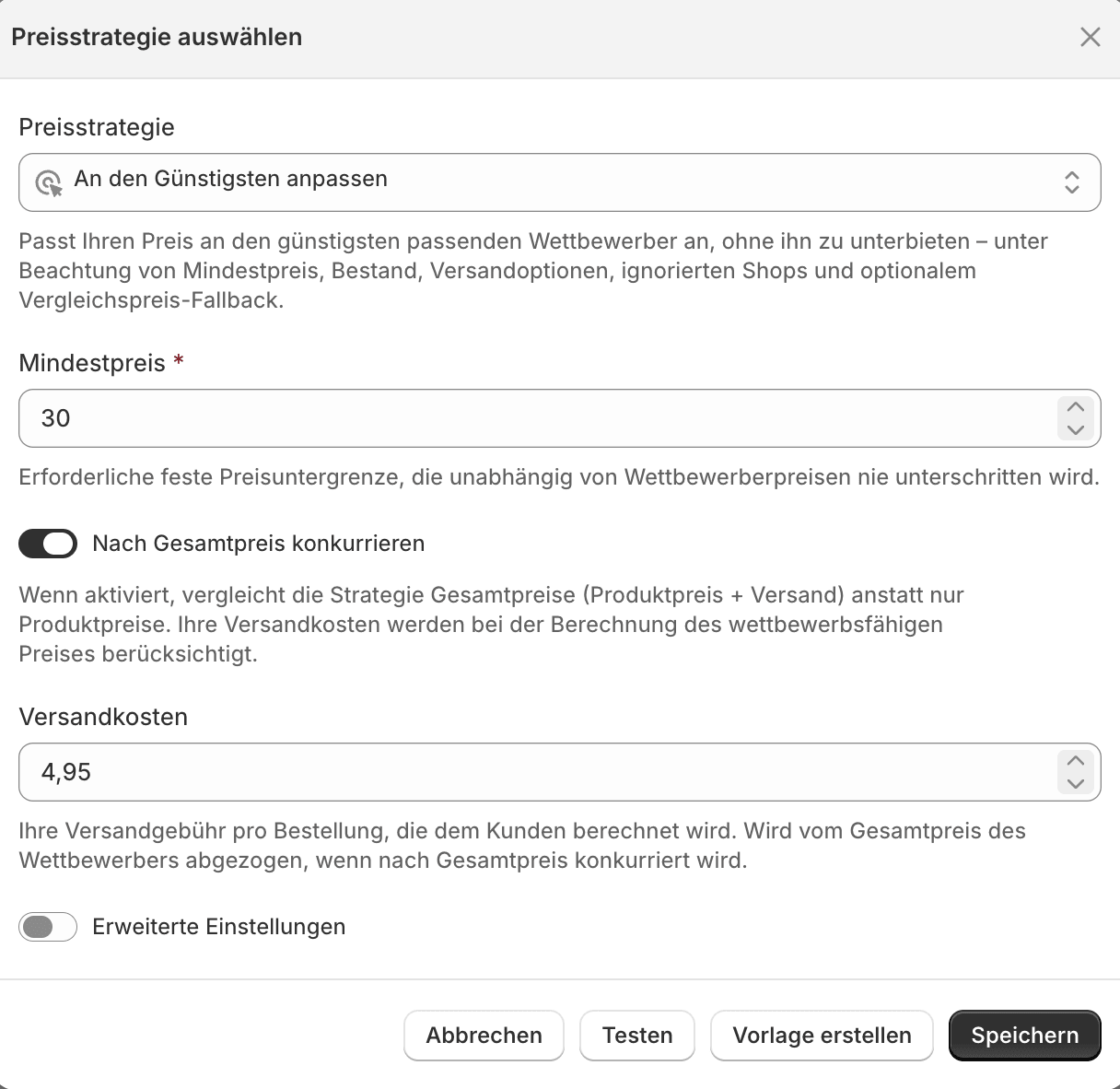
You pick a strategy from the **Select pricing strategy** button on a variant. In the dialog you choose the strategy at the top and configure its fields below.
 ## The two strategies
Your shop has two competitor-based strategies. Both track the cheapest eligible competitor.
Matches your price to the cheapest eligible competitor **without undercutting** it. Stay competitive without starting a price war.
**Undercuts** the cheapest eligible competitor by a set amount. Deliberately take the cheapest position.
## Three variants per strategy
Each of the two strategies comes in three variants that differ only in the price floor and the reset behavior:
| Variant | Price floor | Learn more |
| ---------------------------- | ----------------------------------------- | ------------------------------------------------ |
| **Standard (minimum price)** | fixed minimum price | on the strategy's own page |
| **With minimum margin** | derived from cost and margin | [Minimum margin](/docs/en/guide/pricing/min-margin) |
| **With reset** | fixed reset hours without dynamic pricing | [Reset windows](/docs/en/guide/pricing/reset-windows) |
Depending on your shop, additional strategies may be available. The two described above — with their three variants — are enabled for every shop.
## Before saving
* Check the [settings](/docs/en/guide/pricing/settings), especially the minimum and maximum price.
* [Test](/docs/en/guide/pricing/test) the strategy against current listing data before you enable it.
* Use [templates](/docs/en/guide/pricing/templates) when several products should share the same logic.
For an overview of how strategies, guardrails, and automation work together, see the solution page [Dynamic pricing](/docs/en/solutions/dynamic-pricing).
## The two strategies
Your shop has two competitor-based strategies. Both track the cheapest eligible competitor.
Matches your price to the cheapest eligible competitor **without undercutting** it. Stay competitive without starting a price war.
**Undercuts** the cheapest eligible competitor by a set amount. Deliberately take the cheapest position.
## Three variants per strategy
Each of the two strategies comes in three variants that differ only in the price floor and the reset behavior:
| Variant | Price floor | Learn more |
| ---------------------------- | ----------------------------------------- | ------------------------------------------------ |
| **Standard (minimum price)** | fixed minimum price | on the strategy's own page |
| **With minimum margin** | derived from cost and margin | [Minimum margin](/docs/en/guide/pricing/min-margin) |
| **With reset** | fixed reset hours without dynamic pricing | [Reset windows](/docs/en/guide/pricing/reset-windows) |
Depending on your shop, additional strategies may be available. The two described above — with their three variants — are enabled for every shop.
## Before saving
* Check the [settings](/docs/en/guide/pricing/settings), especially the minimum and maximum price.
* [Test](/docs/en/guide/pricing/test) the strategy against current listing data before you enable it.
* Use [templates](/docs/en/guide/pricing/templates) when several products should share the same logic.
For an overview of how strategies, guardrails, and automation work together, see the solution page [Dynamic pricing](/docs/en/solutions/dynamic-pricing).