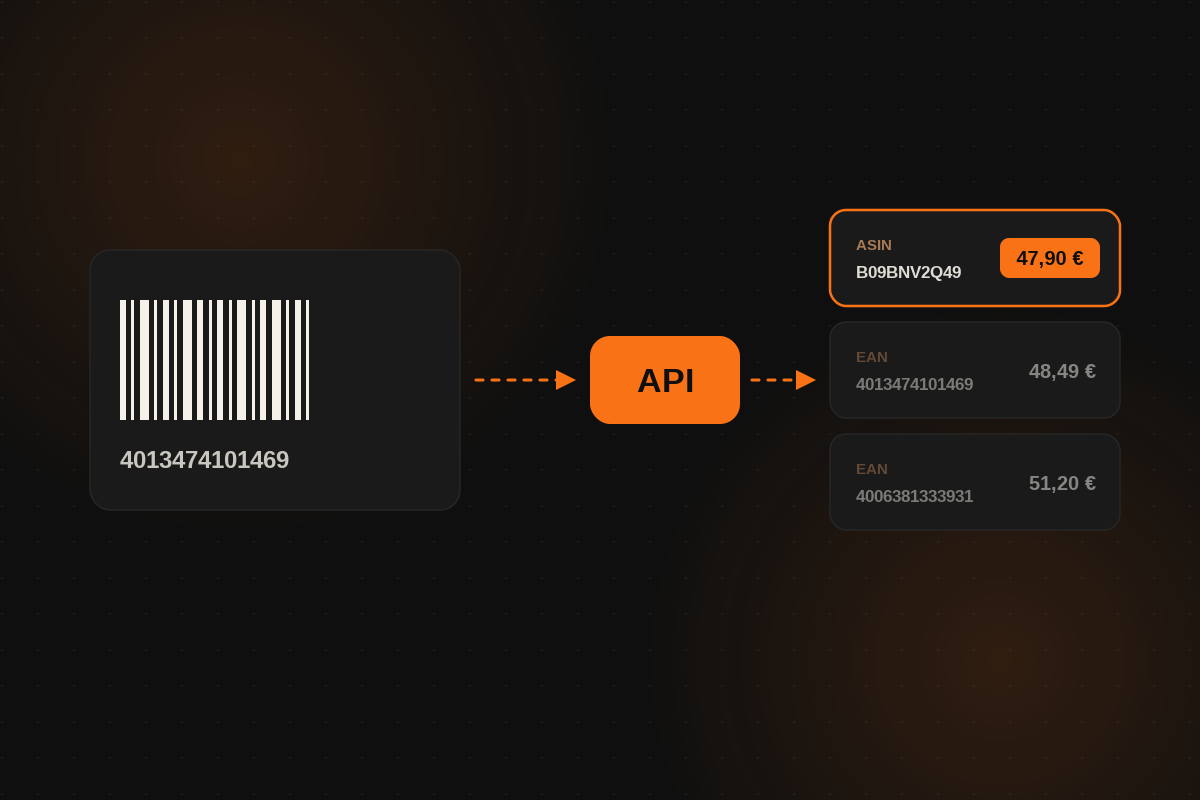
October 19, 2026
Amazon Price API: Get Amazon Prices by EAN After the End of PA-API 5
PA-API 5 has been shut down, and the Creators API is only for associates with sales. The remaining ways to get Amazon prices by EAN or ASIN as JSON.
Build a price tracker in n8n with the verified PricePirate node: competitor price monitoring by EAN on Amazon, Idealo and Google Shopping, no web scraping.
Published on by Sergei Gaponik in API
Competitor price monitoring usually starts the same way: a spreadsheet of products, and someone checking Idealo or Amazon by hand. n8n is a good tool for automating the spreadsheet half. The missing half has been the prices themselves, because marketplaces don’t hand out competitor offers through a public API.
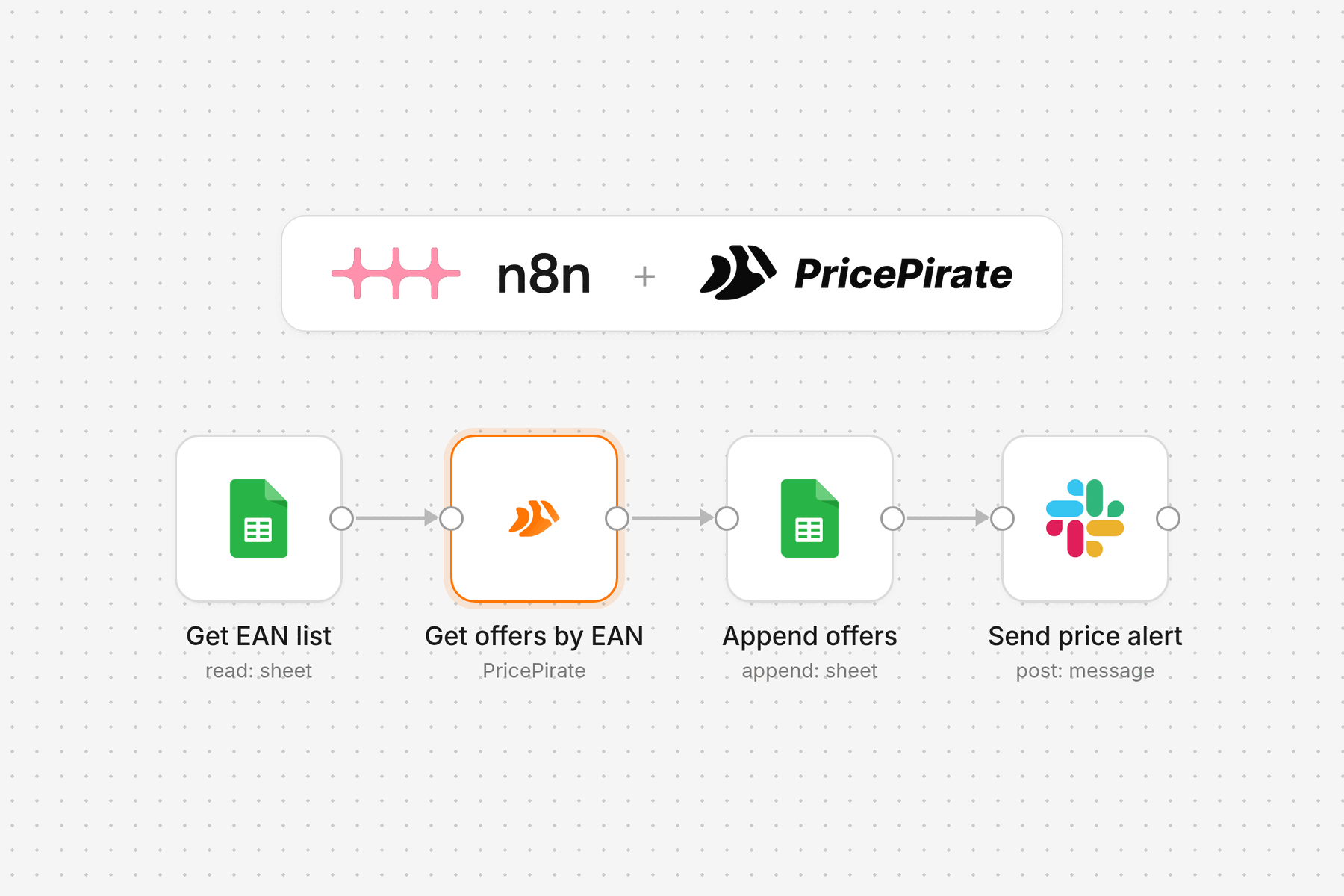
The PricePirate node for n8n closes that gap. It is a verified community node that looks up EANs through the PricePirate Price API and returns live shop offers from Idealo, Amazon, Google Shopping, bol, Klarna and PriceRunner as ordinary n8n items. The result is a price tracker that runs inside your own workflows, with no web scraping to maintain. This guide covers the setup, every operation and parameter, three workflows you can rebuild in a few minutes, and how credits are counted.
You don’t need an account with any of the marketplaces you query.
n8n-nodes-pricepirate and confirm.Because the node is verified by n8n, you can also find it directly in the nodes panel and install it from there. The source is public on GitHub under the MIT license.
Then connect your account:
The credential has only this one field. More background is in the authentication docs.
The node has four resources with five operations:
| Resource | Operation | What you get |
|---|---|---|
| Offer | Get offers by EAN | One item per shop offer: shop, price, shipping, total, availability |
| Product | Get product details by EAN | One item per EAN: name, brand, images, ratings, price_min, price_avg, price_max, offers_count |
| Job | Start price job | A job_id straight away, without waiting |
| Job | Get job results | The results of an earlier job |
| Account | Get account | Your credit balance and limits |
The two “Get … by EAN” operations do the whole round trip for you: they start a job, wait until it is done, and return the results. Use Offer when you want to see every merchant, and Product when one line per product with the price range is enough.
| Parameter | What it does |
|---|---|
| Marketplace | Amazon, Bol, Google Shopping, Idealo, Klarna or PriceRunner |
| Country | The countries the selected marketplace supports |
| Search By | EAN, or the marketplace’s own Product ID, such as an ASIN on Amazon. Klarna and PriceRunner support EANs only. |
| EANs | One value, several separated by commas or new lines, or mapped from an earlier node |
| Include Detail, ZIP Code | Amazon only. The ZIP code makes prices and availability match a delivery location. |
| Simplify | On by default. Returns the 10 most useful fields; turn it off for every field. |
| Max Wait (option) | How long the node waits for a job. Default: 15 minutes. |
| Skip Queries Without Offers (option) | Leaves out EANs that returned no offers. Off by default. |
With Simplify on, one offer looks like this (values are illustrative):
{
  "query": "4013474101469",
  "status": "found",
  "product_name": "Example product 500 ml",
  "shop_name": "exampleshop.de",
  "price": 21.99,
  "shipping": 3.95,
  "total": 25.94,
  "currency": "EUR",
  "availability_code": "in_stock",
  "shop_url": "https://www.exampleshop.de/"
}
Field names match the API documentation one-to-one, so anything you read there applies to the node output as well.
The simplest useful workflow reads EANs from a sheet and writes every offer back to another sheet.
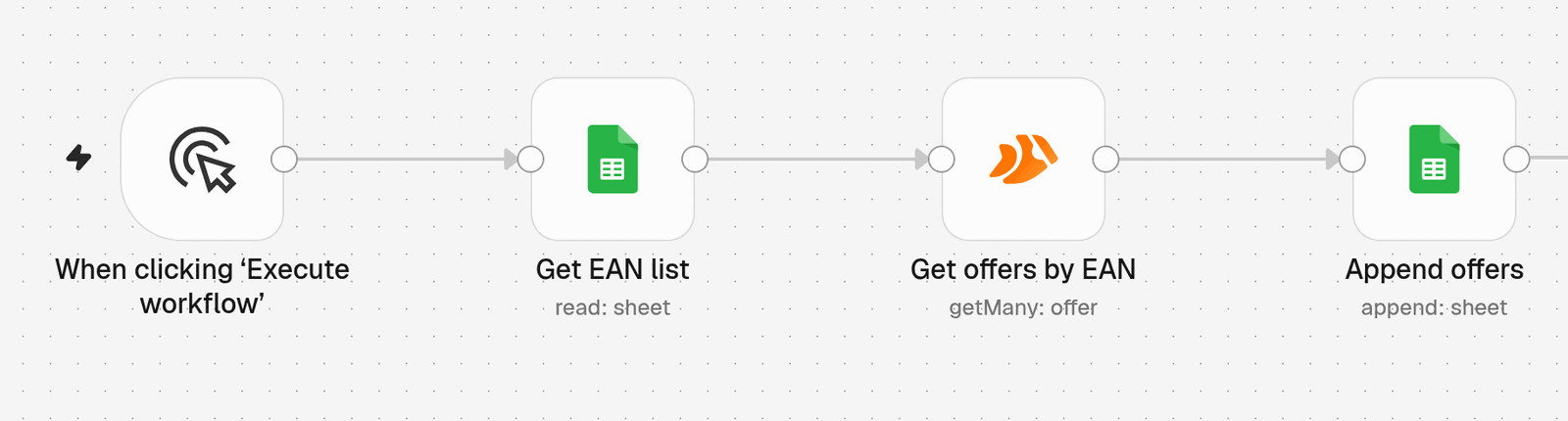
The workflow starts with a manual trigger. Swap it for a Schedule Trigger to run it regularly. Then:
ean column, one product per row.{{ $json.ean }}.query, shop_name, price, shipping and total to columns.The result is one sheet row per shop offer. To try it with a single product first, type the EAN 4013474101469 into the EANs field instead of using the expression.
This workflow checks once a day whether the lowest market price has dropped below your own.
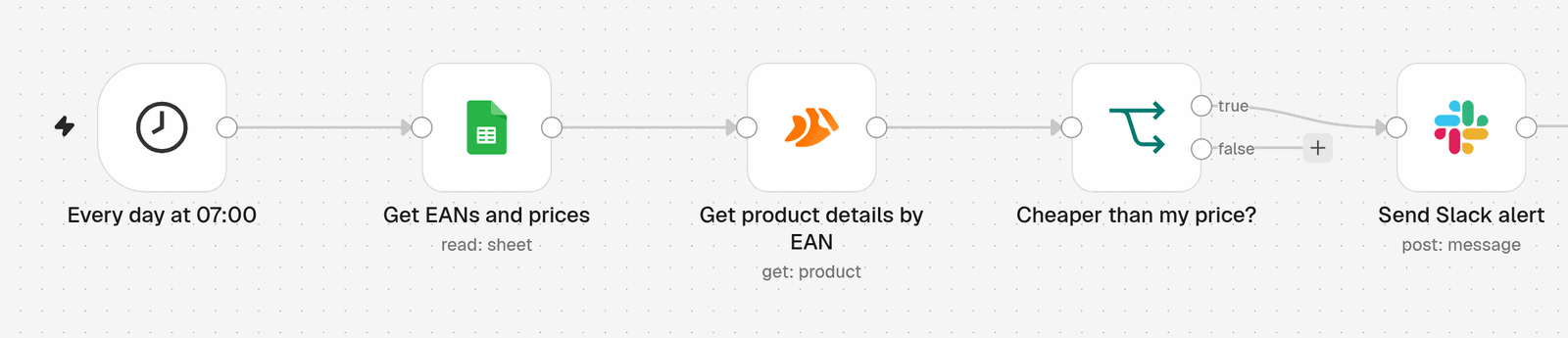
ean and my_price.price_min.price_min is smaller than your price. Each output item stays linked to the sheet row it came from, so you can compare against my_price from the Sheets node.On Idealo in particular, this is the number that matters, because the offer list is sorted by price. Why that position is worth so much is covered in our Idealo repricing guide.
For very large lists, or when you don’t want an execution to sit and wait, split starting and fetching into two steps.
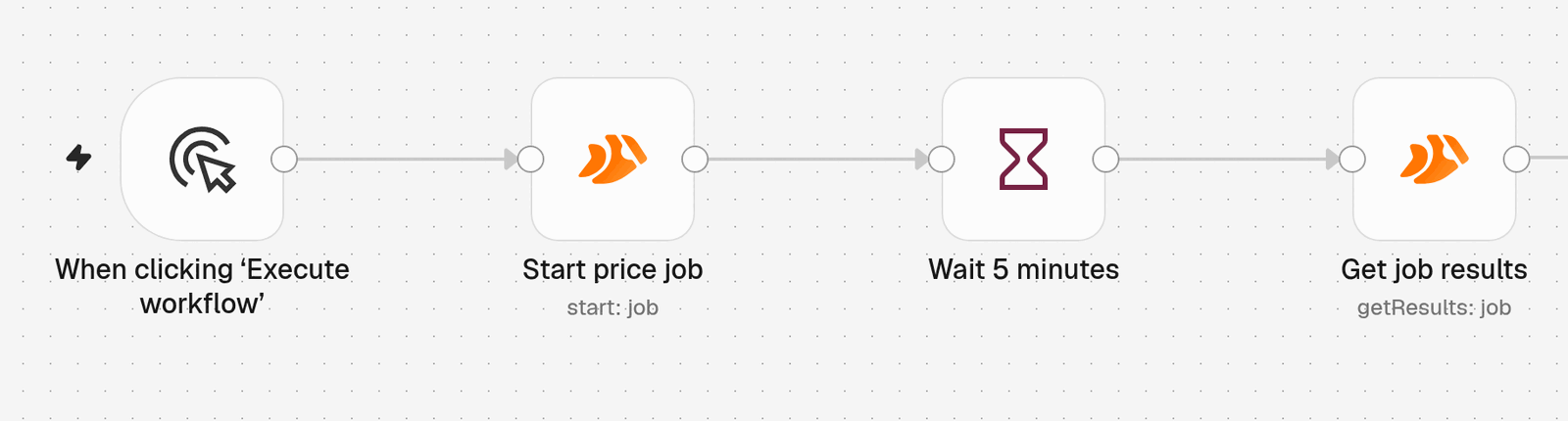
After the trigger:
job_id immediately.{{ $json.job_id }}.Results are kept for about an hour after a job finishes, so fetch them in the same workflow run rather than the next day.
All three workflows work for Amazon as well. Set Marketplace to Amazon and pick one of the 23 supported countries, including Germany, the UK and the US. Three settings are specific to Amazon:
To compare one product across marketplaces, add a second PricePirate node with a different marketplace, for example Idealo next to Amazon. Each marketplace costs one credit per EAN.
A few behaviours are worth knowing before you connect a long product list:
job_id, so you can fetch the results later with Get job results.not_found) still counts as a lookup.error, and failed jobs, get their credits back automatically.status, so your sheet keeps the same number of products. Turn on Skip Queries Without Offers if you’d rather drop them.To see what is left, use Account → Get account. Plans and prices are listed on the Price API page.
Yes. The node is also available as a tool, called PricePirate Tool, that you can attach to n8n’s AI Agent node. The agent then decides on its own when to look up a price.
We tested this with an AI Agent, a chat model and the tool, and asked:
Which shop has the cheapest offer for EAN 4013474101469 on Idealo in Germany, and what is the total price?
The agent called the tool with the EAN, marketplace and country, and answered with the shop and the total price. Keep in mind that every tool call is a real lookup and costs one credit per EAN.
Yes. It is a verified community node and works on n8n Cloud and on self-hosted n8n.
Yes. Set Search By to Product ID and enter the ASIN for Amazon, or the marketplace’s own product ID for Idealo, Google Shopping and bol. Klarna and PriceRunner support EANs only.
Every lookup queries the marketplace live. There is no cached dataset, which is why a job takes a minute or two instead of milliseconds.
The node stops and gives you the job_id. Nothing is lost: fetch the results with Job → Get job results within about an hour.
No. The node returns structured offers, so there are no selectors, proxies or bot detection to handle in your workflow. That part runs on PricePirate’s side. What it takes to do it yourself is described in Price Scraping: Build Your Own Scraper or Use an API?.
A sheet of EANs, one PricePirate node and a second sheet are enough for a first price comparison, and the 100 free credits cover the test:
n8n is a trademark of n8n GmbH. PricePirate is an independent product of UCX Media; the PricePirate node is a community node and is not built or maintained by n8n.
Published on by Sergei Gaponik in API
October 19, 2026
PA-API 5 has been shut down, and the Creators API is only for associates with sales. The remaining ways to get Amazon prices by EAN or ASIN as JSON.
September 15, 2026
The Content API has been shut down, and the Merchant API only manages your own products. How to get every merchant's Google Shopping prices by EAN as JSON.
August 24, 2026
How price scraping actually works — selectors, rotating proxies, bandwidth, bot detection — what it costs to keep running, and when a price data API is the better call.