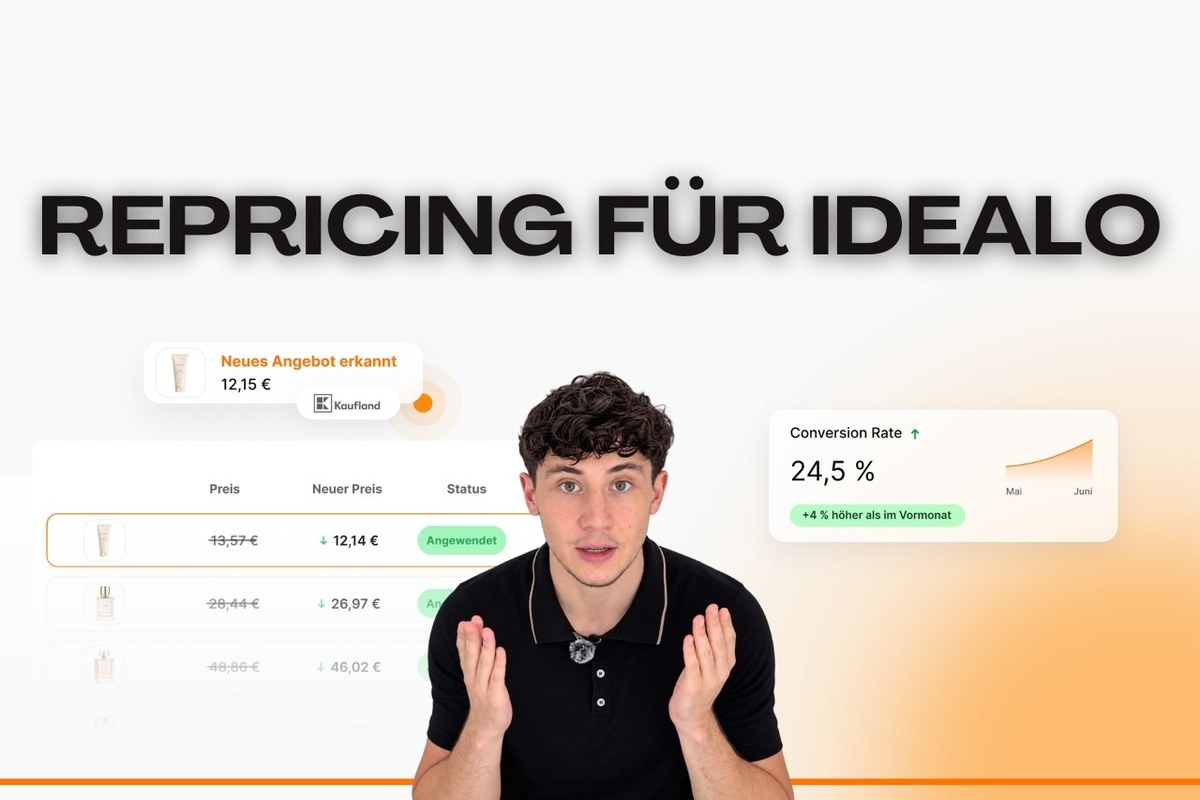
In the Levamour case study, Lev Butin and David Sherman explained how they built Idealo into a traffic channel for their perfume shop. What that left open was how all of this looks in the software. In the video above, Lev (Handel by Lev) answers that question on his own screen and walks through the setup Levamour runs today. This video was also made in cooperation with PricePirate. (Note: the video is in German. The quotes below are translated.)
The article follows the app’s navigation from top to bottom. If you want to look up a particular part, you’ll find it here:
- from 03:29 – Getting started
- from 05:55 – Settings
- from 08:03 – Product settings
- from 10:42 – Pricing strategies
- from 15:15 – Metrics
- from 19:54 – Price changes
- from 21:47 – Reports
- from 28:06 – Support
Every field in the app is described in detail in the documentation. The relevant pages are linked at the end of each section.
Getting started
PricePirate is installed through the Shopify App Store like any other app and then shows up under Apps in the Shopify admin. Two things run separately here. At Levamour, the connection between the shop and Idealo goes through Idealo EasyConnect, which handles the product feed. PricePirate reads the market data from Idealo and sets the prices in Shopify, from where the feed carries them back to Idealo.
The start page shows what has changed since your last visit. One of those features, dynamic discounts, goes back to a request from Lev’s own network of retailers, he says. More on that in the next chapter.
Details in the documentation: Quickstart.
Settings
In the shop-wide settings, you define how often per day PricePirate syncs the Idealo listings. This number is the default for all products and can later be overridden per product, because a contested bestseller needs more syncs than a niche item. Every price change uses one credit from your plan. How many credits you need therefore depends less on the size of your catalog than on the competition on your listings: Lev mostly sells new releases with little price movement and gets by with correspondingly few. If you list established bestsellers, plan more generously.
The second setting Lev goes into is dynamic discounts. The background: regular customers react badly when a product costs €39.99 today and €44.99 the day after tomorrow. With dynamic discounts enabled, the regular price in the shop stays where it is. For Idealo, PricePirate instead creates a discount code that is applied automatically in the cart via the offer link. Idealo shows the lower price, and anyone arriving from Idealo sees a discount in the shop instead of a price that keeps moving.
For the customer, it’s really just a benefit: oh, I save money at exactly this shop.
The code prefix, duration and whether the code can be combined with your other Shopify discounts are set here as well.
Details in the documentation: Settings and Dynamic discounts.
Product settings
Product settings lists all your Shopify products, and from here you connect them to Idealo. The prerequisite is a product listing on Idealo, meaning a comparison page where several offers appear side by side. PricePirate searches for that listing itself; if the match is wrong, you paste the Idealo URL by hand. Then you set the product to active.
Where there is no listing, PricePirate can’t reprice. Lev shows this with a newly released fragrance set: on Idealo, the click leads straight to a single retailer’s offer, and no comparison page exists yet. Products like that stay unconnected until more sellers come along.
Per product, you also control whether PricePirate collects market data at all (price monitoring) and how many syncs run per day.
Details in the documentation: Product settings and Connect listings.
Pricing strategies
Most of the actual thinking in the setup goes into the pricing strategies. Lev works with the minimum margin: PricePirate reads the purchase prices from Shopify and factors in fixed costs per order, VAT, transaction fees and shipping costs. The result is a price floor for each product that the repricing never goes below. Check your fixed costs per order regularly, because they change as the shop changes: as order volume grows, the monthly fixed costs are spread across more orders and the floor drops.
A few settings Lev considers especially important:
- Compete on total price is switched off for him. Idealo sorts the offer list by item price, and shipping costs are shown separately. (Our guide Idealo Repricing explains why that matters so much for your position.)
- Maximum target position and last decimal digit in the advanced settings. Rounding prevents prices like €15.96 that look odd and less trustworthy in the shop.
- Minimum stock, so a bestseller that is about to sell out doesn’t keep dropping in price. Whatever sells anyway doesn’t need to get cheaper.
You save a finished configuration as a template and apply it to many products at once. When saving, you decide whether a change applies only to this variant or is written back to the template. That way, a product that’s running low can be switched to a different strategy in a few clicks without touching the rest of the catalog.
Details in the documentation: Pricing strategies, Minimum margin and Templates.
Metrics
Once the setup is done, Metrics is where Lev spends most of his time. Per product, the table shows the lowest price, your own price rank (each seller counted once), the average price rank over the selected period, and volatility, meaning how often prices change on the listing. Clicking a value opens the price history with all competitors in a chart.
One thing stands out in Lev’s table: the fragrances that sell best in wholesale are the most contested listings on Idealo. With more exclusive, hard-to-get products, on the other hand, Levamour consistently sits near the top without PricePirate having to do much.
It doesn’t always have to be first place:
If Kaufland or eBay are below you, shops that customers don’t trust all that much, you can definitely still make the odd sale in second or third place.
Whether that works for a given product, Lev reads from the position history compared with his Shopify sales. (We’ve written up how strongly shop trust and price position interact in our article Idealo conversion rate.)
Details in the documentation: Product metrics and Volatility.
Price changes
Price changes lists every adjustment PricePirate has proposed or made: old and new price, direction, timestamp. Pending changes can be accepted or rejected one by one. At first, Lev checked every single one; after a while he largely stopped, because the proposals reliably went in the direction he expected.
When you set up a new strategy, you can test it first. The test runs against the most recently synced offers and shows the price PricePirate would set right now, or “unchanged”. That way you see whether the strategy does what you expect before the first price goes live.
Details in the documentation: Review price changes and Test a strategy.
Reports
Reports summarize the whole market instead of individual products. The tab Lev uses most is Competitors: it lists every shop that appears on your listings, with the number of shared listings, share of rank 1, undercut rate (how often that shop was cheaper than you) and average price rank. The product filter narrows the view to a single product; the search narrows it to a single competitor and every listing you both appear on.
The other reports show your positions over time, the gap to the cheapest competitor, conspicuous price ranges and, in the automation report, how many price changes are pending, applied or rejected. What Lev mainly reads from them is where he doesn’t need to act: a product that sells well in its current position doesn’t need an adjustment, even if a competitor below it is cheaper.
Details in the documentation: Reports and Competitors.
Support
Lev closes the video with the support. Questions, feature requests and new products to bring into repricing he discusses directly with the PricePirate team, including on a call.
Support and person-to-person communication, the values I really appreciate from wholesale, are just as appreciated and put into practice here. Honestly, that’s the reason I’m sharing this on my channel.
Details in the documentation: Support.
Want to set up your Idealo repricing like Levamour? PricePirate connects your Shopify store to Idealo and adjusts prices by your rules, with minimum margins that protect your calculation. Install PricePirate from the Shopify App Store or book a personal demo. Personal support is included on every plan.
PricePirate is an independent product of UCX Media and has no business, partnership, or other affiliation with idealo internet GmbH.